Overview:
When Salesforce retired its native Data Recovery Service, it shifted the responsibility of Salesforce data protection entirely to users. In 2026, businesses still face gaps in native Salesforce backup tools, including no metadata backup, no granular restore, and single points of failure. This blog breaks down what every Salesforce admin and IT leader should evaluate before retiring or replacing their Salesforce data recovery options, and why third-party Salesforce backup solutions like Databakup are the smart, scalable answer.
Let's be real. A lot of Salesforce admins didn't see it coming. One day, Salesforce data recovery was a safety net. Next, Salesforce pulled the plug, and suddenly, businesses were left scrambling to figure out what to do with years of mission-critical CRM data.
If you're still relying on native tools or haven't built a solid Salesforce backup strategy yet, this one's for you. Whether you're an admin, an IT manager, or a business owner running a team on Salesforce, here's everything you need to consider before retiring your current Salesforce data recovery application and what to replace it with.
Why Salesforce Retired Its Data Recovery Service
Before diving into what you should do, it helps to understand what happened.
Salesforce's original Data Recovery Service was discontinued because it simply didn't hold up. The process took six to eight weeks to complete and cost upwards of $10,000 per recovery. Worse, it didn't even guarantee full data recovery. Salesforce itself admitted the service "did not meet high standards for customer experience."
Get the detailed Salesforce Data Backup & Recovery Guide.
The company brought the service back briefly in 2021, only to retire it again later that year in favor of Salesforce Backup, a managed package that still has serious limitations of its own.
DataArchiva Strengthens Data Security for an Australian Supply Chain Tech Company
Download the DatasheetBottom line: Native Salesforce data recovery was never built to be your primary backup plan. It was a last resort that's no longer even available the way it used to be.
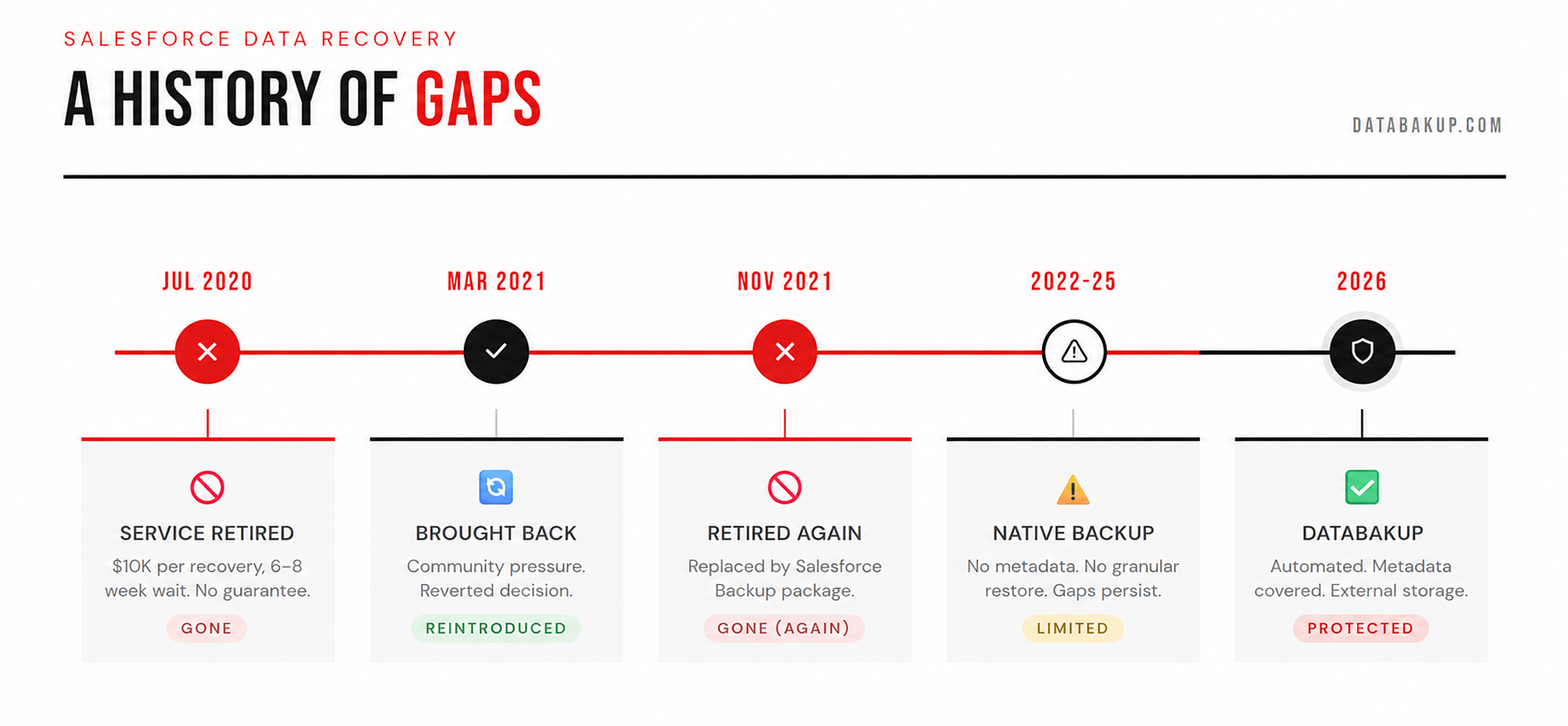
What You Actually Lose When You Retire Native Recovery
Here's the thing most people don't talk about. The gap between what Salesforce covers and what you actually need covered is massive.
Around 47% of teams experienced at least one data loss incident in 2024, and 19% of those needed days to recover when a data incident occurred. That's not a small number. That's almost half the teams using Salesforce.
Before retiring your current Salesforce data backup and recovery setup, you need to know what you're actually working with natively.
Native vs. External Salesforce Backup: A Cost–Benefit Breakdown
Get the Free Datasheet in 30 SecondsHere's what native Salesforce tools don't cover:
| What's Missing | Why It Hurts |
|---|---|
| Metadata backup | Flows, Profiles, and Permission Sets stay unprotected |
| Granular restore | You can't restore a single record without rolling everything back |
| Off-platform storage | Backups stored inside Salesforce = single point of failure |
| Real-time recovery | Weekly or daily exports don't cut it for fast-moving orgs |
| Relationship mapping | Restoring data without a relationship context breaks everything |
Without dedicated tooling, about 50% of Salesforce metadata restores fail. If you can't restore metadata, restoring data to a point in time is often impossible.
Databakup handles all of this. It backs up both your data and metadata, stores backups outside Salesforce to avoid single-point failure, and enables granular record-level restore without rolling back your entire org.
What Should I Consider When Retiring Salesforce Data Recovery Options?
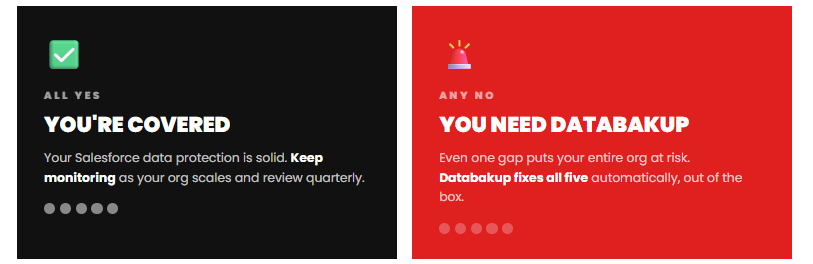
This is the part most blog posts skip over. When you're retiring your current Salesforce data recovery approach and choosing what comes next, here's your checklist.
Recovery Point Objective (RPO)
How much data can you afford to lose? If your org processes hundreds of records daily, a weekly backup won't cut it. You need daily, or better, near-real-time protection.
Recovery Time Objective (RTO)
How fast do you need to be back up and running? The old Salesforce Data Recovery process took a minimum of six to eight weeks to complete and couldn't guarantee 100% data recovery. In 2026, that's not acceptable for any business.
Metadata Coverage
When Salesforce experiences a platform-wide issue, both production data and backups stored inside Salesforce become simultaneously unavailable. Make sure your backup lives outside your Salesforce org.
Compliance Requirements
GDPR, HIPAA, SOC 2, and other frameworks require you to demonstrate data protection capabilities. A native weekly export doesn't satisfy auditors. Your Salesforce backup solution needs to produce audit trails, access logs, and policy documentation
Granularity of Restore
Can you restore a single account record? A single contact? Or do you have to wipe your entire org to roll back? Granular restore capability is non-negotiable for production environments.
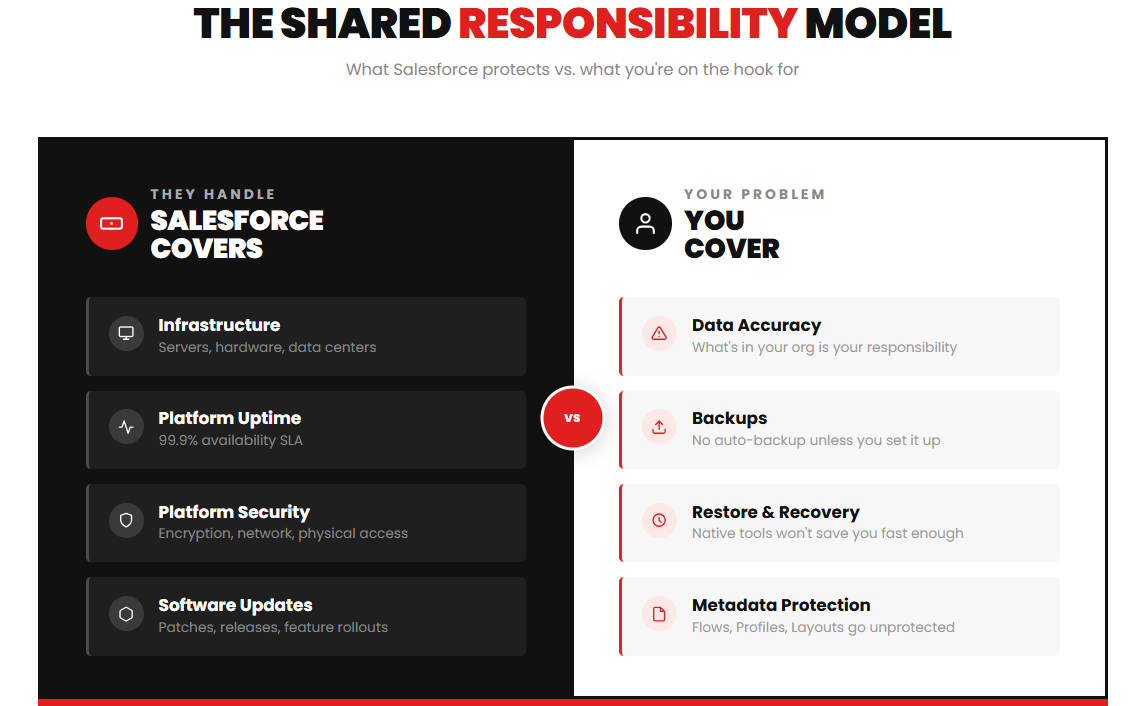
The Shared Responsibility Model You Probably Ignored
Salesforce operates on what's called a shared responsibility model. Salesforce protects the infrastructure. You are responsible for the data inside it.
US Legal Firm Took Complete Control Over Their Salesforce Data with Our Backup Application
Download the Case StudyIf your Salesforce data protection plan is still "we'll figure it out if something goes wrong," that's a liability waiting to happen. Human error, accidental mass deletes, rogue admin actions, ransomware, and bad data imports. All of it can wipe your org, and you might not notice until it's too late.
Databakup automates this responsibility. Set it, forget it, and know your Salesforce data is protected daily without anyone having to remember to manually export CSVs.
Before Your Data Disappears, Make Sure Your Backup Does Not
Explore the ProductNative vs. Third-Party Salesforce Backup: A Real Comparison
| Feature | Native Salesforce | Databakup |
|---|---|---|
| Metadata backup | No | Yes |
| Automated daily backups | Limited | Yes |
| Granular restore | No | Yes |
| External storage | No | Yes |
| Audit logs | No | Yes |
| Compliance support | Limited | Yes |
| Cost at scale | Expensive | Predictable |
| Setup time | Hours | Minutes |
Third-party solutions "go beyond the capabilities" of native Salesforce recovery options, driving more trust and extending the value of the Salesforce Platform
Databakup is purpose-built for this. It's not a bolt-on feature from a platform that treats backup as an afterthought. It's the whole product.
Why Databakup is the Right Move in 2026
The Salesforce data recovery landscape has changed. Native tools have gaps that can cost you weeks and thousands of dollars in recovery time. The shared responsibility model means you can't rely on Salesforce to save you.
No six-to-eight week wait. No $10,000 bill. No guessing.
Databakup is built for exactly this. Get started today at databakup.com.
Get started with a free trial of DataBakup for SMBs today. Your first backup runs in under 30 minutes.